Comparison
SiteHaul vs GoFullPage
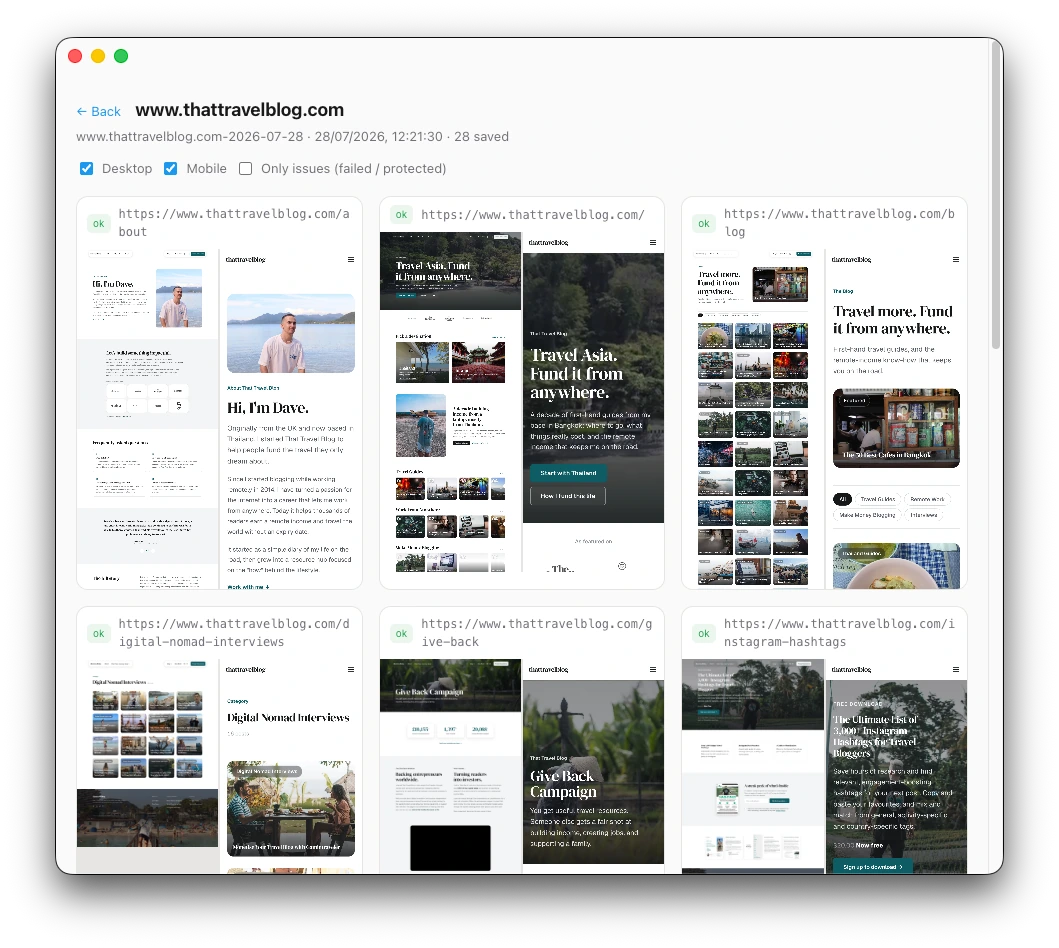
GoFullPage captures the page you are looking at. SiteHaul captures every page of a site, at desktop and mobile sizes, in one run. Which one you want comes down to how many pages you need.
The short answer
If you need one screenshot, use GoFullPage. It's free, it's excellent, and 11 million people use it for good reason. If you need 40 screenshots of the same site with names you can find things by, that's a different job, and doing it by hand is where an afternoon goes.
Side by side
Checked where each tool has the advantage. Four of these go to GoFullPage.
| GoFullPage | SiteHaul | |
|---|---|---|
| Pages per run | One, the tab you're on | Up to 500 |
| Finds the pages for you | You browse to each one | Reads the site's sitemap |
| Desktop and mobile | Resize and capture again | Both sizes, every page |
| Same result every run | Depends on your window size | Fixed 1440x900 and 390x844 |
| Filenames | You name each file | From each URL, automatically |
| Banners, popups, chat widgets | Dismiss them yourself | Cleared before the shot |
| Sites that hijack scrolling | Can't capture them | Captured a screen at a time |
| Page copy as Markdown | No | With the license |
| URL list for redirect maps | No | In every run folder |
| Splits tall pages for Figma | No | Optional, at 4096px |
| Price | Free | 10 pages a month free, then $49 once |
| Runs on | Any computer with Chrome | Apple silicon Mac |
| Pages behind a login | Yes, you're already signed in | Yes, with a username and password you give it |
| One quick screenshot | Instant, two clicks | Use the extension instead |
| Where it runs | In your browser | On your Mac |
| Uploads your captures | No | No |
GoFullPage details from its Chrome Web Store listing, checked 27 July 2026. It captures to PNG, JPEG and PDF, and it is free. If something here has gone out of date, tell us and we will fix it.
Use GoFullPage when
- You want one page, right now.
- The page is behind a login, and you are already signed in.
- You are not on a Mac.
- The page is not in any sitemap.
- You want to annotate the screenshot afterwards.
Use SiteHaul when
- You want the whole site, not a page from it.
- You need desktop and mobile of everything.
- You want to find a page again by its filename.
- You are building a moodboard, a portfolio, or a record before a rebuild.
- You want the page copy as Markdown too.
What changes at twenty pages
One page with an extension is two clicks, and nothing beats that. The work doesn't scale with the page though, it scales with the count. Twenty pages at two sizes is forty captures: browse, capture, save, name it something you will recognize later, resize the window, do it again.
The naming is the part that bites. Forty files called screenshot.png through screenshot-39.png are worth very little in three weeks. SiteHaul names every file from its URL, so the folder stays readable long after you've forgotten the order you captured them in.
That's the trade. GoFullPage is free and instant for one page. SiteHaul is $49 and handles the set, then hands you a folder you can drop into Figma.
“I used to spend hours each week screenshotting webpages in a messy workflow. Now I use SiteHaul and it’s so much quicker!”
Questions
Is SiteHaul a GoFullPage alternative?
Can GoFullPage capture a whole website?
Does SiteHaul upload my screenshots anywhere?
Can SiteHaul capture pages I have to log in to see?
Do I have to stop using GoFullPage?
What about sites that hijack scrolling?
Try it on a site you know
10 pages a month free, which is enough to try it on a real site. No account, nothing uploaded. Keep the extension for one-offs.
Apple silicon · macOS 12 or later · Notarized by Apple.
See everything SiteHaul does →